The Class B vacation-year ladder, explained
If you're Class B and your PGP line keeps capping at 32 hours, this is the rule nobody explained to you. The weekly cap isn't one number for everyone in Class B. It's 32 hours until you've stacked up five vacation qualifying years, then it steps up to 40. That's an 8-hour-a-week difference in your guarantee, and most guys don't know which side of it they're on. DockBook keeps that count for you. But first, here's how the ladder actually works.
The cap depends on class and ladder position
Your PGP weekly cap comes down to two things: your class, and how far up the Class B ladder you are.
- Class A: 40 hours per week
- Class B with 5 or more vacation qualifying years: 40 hours per week
- Class B with fewer than 5: 32 hours per week
The 8-hour gap between the two Class B states is the ladder. Everything below is about how you climb it.
What a vacation qualifying year actually means
A vacation qualifying year is not "a year you worked." It's a year where you earned at least the hours needed for one week of basic vacation. And that threshold isn't the same everywhere. It's set by your port average.
Here's the schedule:
| Average port hours | Hours needed for a 1-week basic vacation |
|---|---|
| 1,300+ | 800 |
| 1,200–1,299 | 700 |
| 1,100–1,199 | 676 |
| 1,000–1,099 | 615 |
| 900–999 | 552 |
| 800–899 | 552 |
| Under 800 | 552 |
The floor coast-wide is 552 hours. That's the lowest the bar goes, in the smallest ports. The biggest ports, the ones averaging 1,300 hours or more, want 800 hours out of you to clear a single week of basic vacation.
So "5 vacation qualifying years" really means "5 years where you cleared whatever the hour bar was for your port average." Not five years on the registration list. Five clean years over the vacation floor.
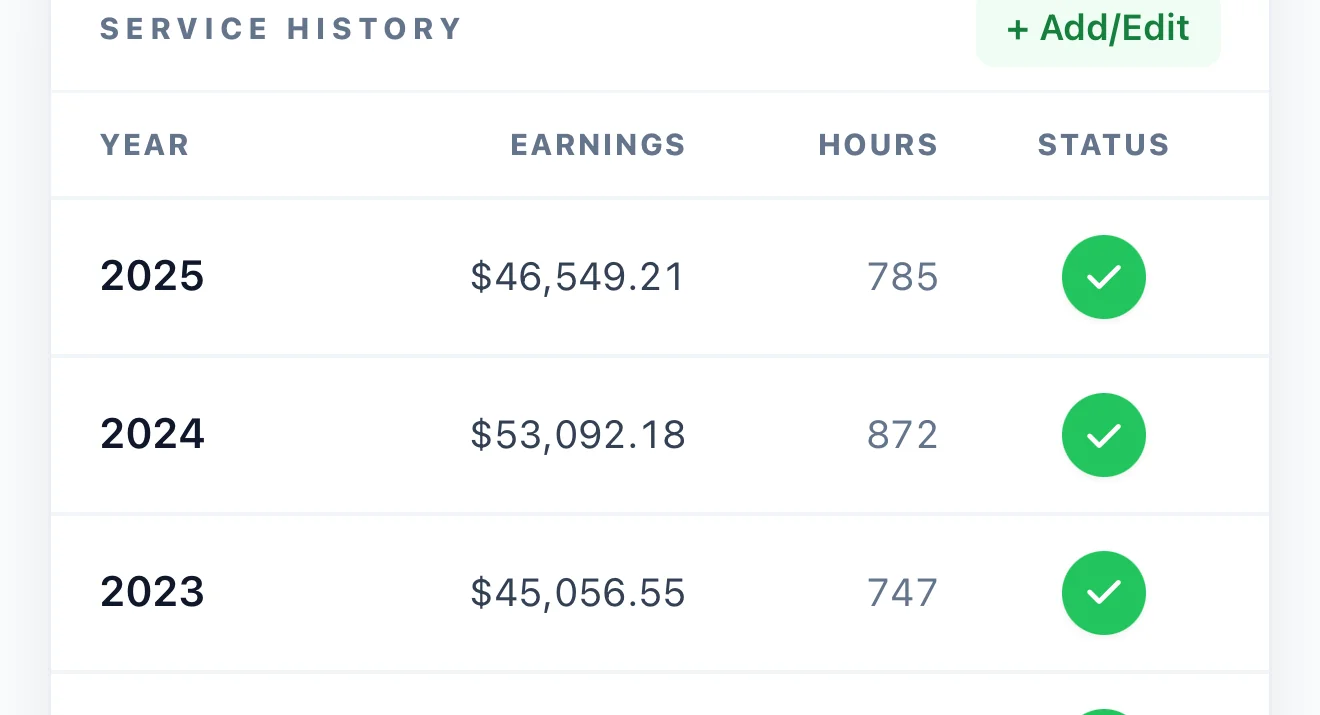
That distinction is exactly where this trips people up, and it's why eyeballing it from memory doesn't work. The bar moves by port, your hours move by year, and one short year you forgot about can be the reason your cap is still at 32. DockBook tracks your hours by year against the threshold for your port, so the count isn't a guess. More on that below.
Years that don't move the ladder
A few situations where you put in time but didn't tick a qualifying year:
- You came up short of your port's bar. You worked, but landed under the basic-vacation hour floor for your port average. No qualifying year recorded, even if you worked plenty of hours below the bar.
- Your first year of registration. New registrants are ineligible for PGP for that entire first year. It doesn't count toward the ladder.
- A long absence. Long-term medical leave or a leave of absence can drop a year below the threshold.
So a worker tracking toward the 40-hour cap is really tracking five clean years above the basic-vacation floor for his home port. Grinding out a lot of hours in a year that still falls short of the bar doesn't move you up.
The ladder is not your path to Class A
Worth saying flat out, because people mix these two up: hours don't promote you from Class B to Class A. That call belongs to the Joint Port Labor Relations Committee at your port, not a coast-wide hour total. The agreement lays out the framework, but the timing of a promotion is a port-by-port committee decision.
The five-year vacation-qualifying ladder is only about the size of your PGP cap while you're Class B. It is not the same thing as making Class A. Two separate processes. Climbing the ladder gets you from a 32-hour guarantee to a 40-hour guarantee. It does not, on its own, change your class.
What it means on payday
If you're Class B and your PGP line on a recent stub sits at the 32-hour cap, you're under the five-year threshold. The question to ask isn't "how many hours have I worked." It's "how many years have I qualified for at least a one-week basic vacation."
PMA payroll and your local both track this, and the Plan office can confirm your current count. If a stub looks short and you think you should already be at the 40-hour cap, that count is the number to verify.
How DockBook keeps the count
DockBook's PMA PGP screen has a Class B vacation-year ladder card built for exactly this. It shows your qualifying years as a progress bar toward five, your current 32-hour cap, the 40-hour cap waiting at the top, and the dollar difference per week between the two. So instead of wondering, you see "3 of 5, two years to go" and what that last step is worth.
It builds the count from your logged hours, year by year, against the basic-vacation threshold for your port. And if you joined DockBook mid-career, the Retirement screen lets you punch in your prior years by hand so the ladder starts from the right place instead of from zero.
That's the whole point: stop carrying this in your head. Log your shifts, and the ladder count falls out of the hours you've already entered. See it on DockBook for PMA, or run a week against your cap right now on the free pay calculator.
For the rest of the PGP mechanics, the weekly cap math, the disqualifiers, the eligible-weeks budget, see the PMA PGP explainer.
A note on accuracy
This is a plain-English explainer based on the current longshore contract. It's not a legal document, not financial advice, and not a substitute for the actual contract text or a talk with PMA payroll or the Plan office. Your specific qualifying year count is finally determined by PMA records, not by an app's estimate. If you're close to the five-year line, confirm where you stand before you count on the 40-hour cap.
Spot something out of date or wrong? Email me. I keep these updated as the contract changes.
Frequently asked
Why does my Class B PGP cap stay at 32 hours?
The Class B weekly cap is 32 hours until you have 5 vacation qualifying years, then it steps up to 40. Class A is 40 hours throughout.
What is a vacation qualifying year?
A year where you earned at least the hours needed for one week of basic vacation. That threshold depends on your port average, from 800 hours at ports averaging 1,300+ hours down to a 552-hour floor in the smallest ports.
Does working more hours promote me to Class A?
No. Hours do not move you from Class B to Class A. That decision belongs to the Joint Port Labor Relations Committee at your port. The five-year ladder only changes your PGP cap, not your class.
Which years don't count toward the ladder?
Years where you came up short of your port's vacation threshold, your first year of registration (which is PGP-ineligible), and years dropped below the threshold by a long absence.
How many qualifying years do I need for the 40-hour cap?
Five clean years above your port's basic-vacation hour floor. Not five years on the list, five years over the bar.
Have a question about this post or spot something to fix? Email me directly.